> For the complete documentation index, see [llms.txt](https://docs.fiingate.vn/manual/llms.txt). Markdown versions of documentation pages are available by appending `.md` to page URLs; this page is available as [Markdown](https://docs.fiingate.vn/manual/getting-started/login.md).
# Login
{% hint style="info" %}
Currently, we allow each account to log in on 1 device. For more information, visit [Restriction on Account Access](/manual/getting-started/restrictions-on-account-access.md).
{% endhint %}
### **For users who do not have a FiinGate account:**
Step 1: Access our website
Go to our website:
On the Homepage, please click on **Request for Service.**
Figure 1: Website homepage
Step 2: Fill in registration form
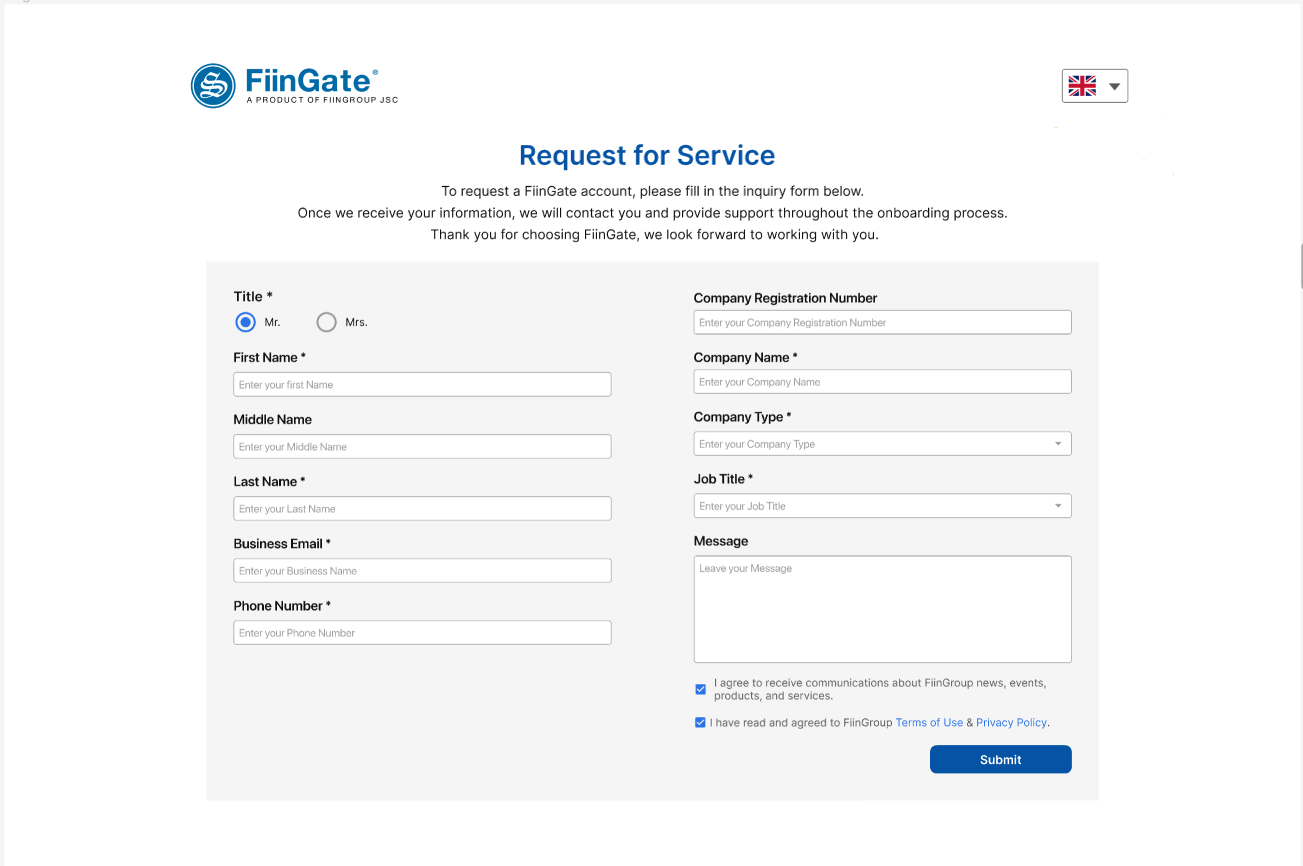
FiinGate will direct users to the registration page.
The registration form requires users to provide personal information, including name, business email address, phone number, company information, and current job title.
Accordingly, the registered email address will be the username for your FiinGate account.
Once you have completed the registration form, the system will display a dialog box confirming that your request has been received and the processing period.

Figure 2: Request for Service form
Step 3: Verification of Personal Information
Once your request has been received, our team will begin verifying your personal information. This is an important step to ensure that we are providing the necessary services to the right person.
During this process, we may contact you for additional information or documentation. Please be sure to respond promptly to any requests from our team to avoid any delays in processing your request.
Step 4: Check email for updates
Once your registration has been verified, our team will send the results to your registered email address.
Please ensure this email address is accurate and up-to-date to avoid any confusion or delays in receiving your results.
If you have any questions or concerns about your request's status, please contact our [Customer Support ](/manual/support/customer-support.md)team.
### **For users who have successfully registered a FiinGate account:**
Step 1: Check Your Email for Login Details
After registering for FiinGate, keep an eye on your email inbox. You will receive an email containing important information, including a link to the product and your initial password. Take a moment to locate this email.
Step 2: Access the FiinGate Login Page
Once you have found the email, click on the provided link within it. This link will directly lead you to the FiinGate platform.
Alternatively, you can navigate to FiinGate's official website and click on the "Login" button displayed on the homepage.
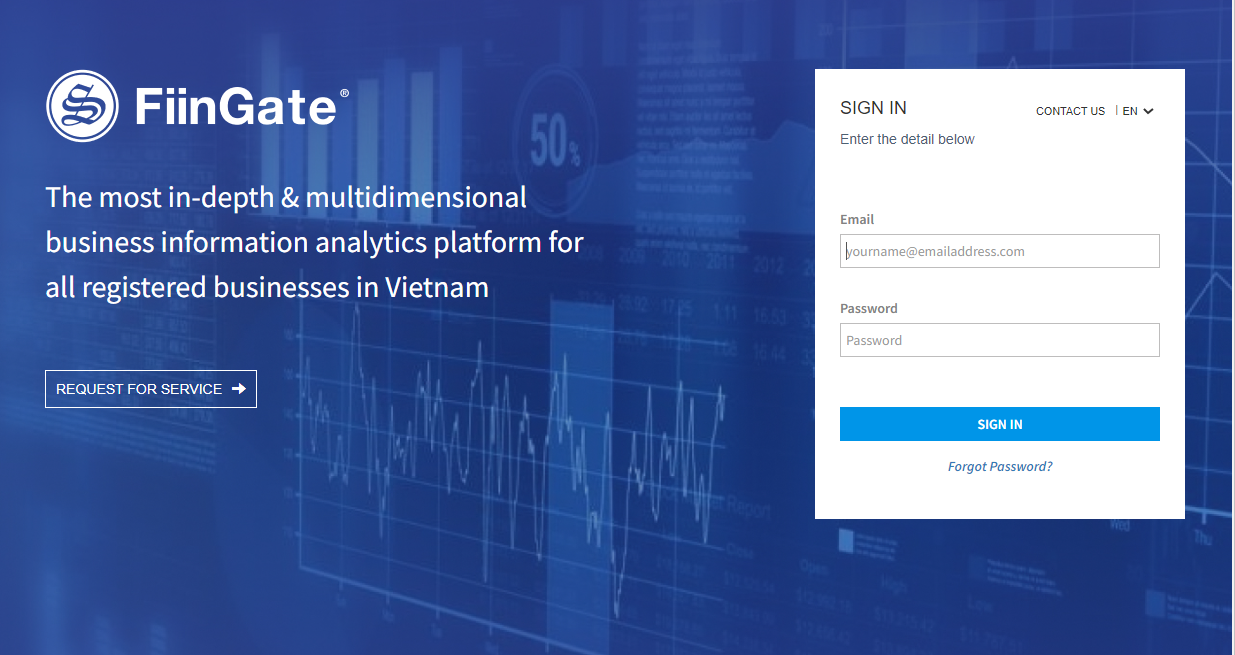
Step 3: Fill in the Login Form
Enter your registered email address and the password provided to you into the designated field. If desired, you can change this password later.
Figure 3: FiinGate Login Page
Step 4: Access the FiinGate Platform
After completing the login form, click on the "Sign In" button to proceed. FiinGate will now authenticate your credentials and grant you access to the platform.
Once authenticated, you will be redirected to your personalized dashboard on FiinGate.